

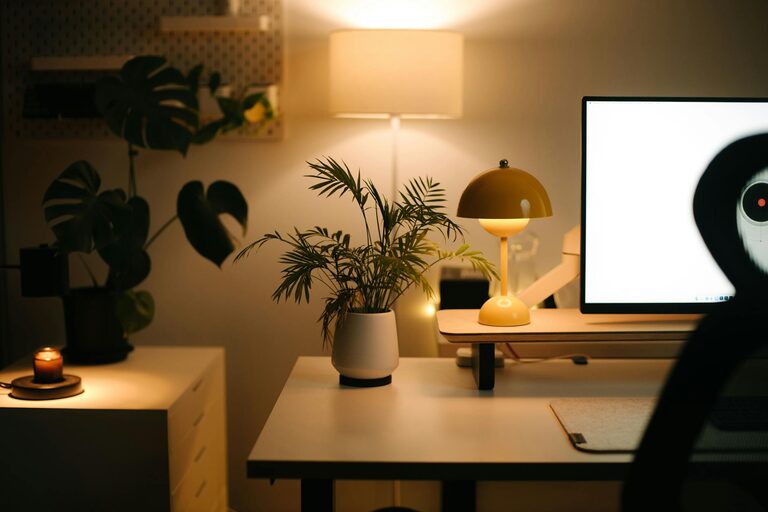
Creating a comfortable and productive home office is essential for anyone working remotely or managing tasks from home. A well-designed space helps maintain focus, reduces stress, and promotes a healthy work routine. Whether you have a dedicated room or a small corner, these tips will guide you in turning your home office into a comfortable and efficient workspace.
Choose the Right Location
Consider Natural Light
Pick a spot with ample natural light, if possible. Exposure to daylight keeps you alert and can improve mood. Position your desk near a window but avoid glare on your computer screen by using blinds or curtains.
Minimize Distractions
Select a quiet area where household noise is minimal. Using a room with a door allows you to separate work and home life, reducing interruptions.
Invest in Ergonomic Furniture
Comfortable Chair
A good office chair with adjustable height and lumbar support is critical. Sitting comfortably prevents back, neck, and shoulder pain and helps maintain good posture during long work hours.
Suitable Desk
Choose a desk with enough surface space for your computer, documents, and other essentials. Consider a standing desk or adjustable desk to allow varying your posture throughout the day.
Organize Your Workspace
Declutter Regularly
Keep your workspace tidy by clearing unnecessary items daily. A clutter-free desk helps reduce stress and improves focus.
Use Storage Solutions
Implement shelves, filing cabinets, or desk organizers to keep supplies and paperwork well arranged. Labeling storage units makes it easier to find things quickly.
Optimize Technology Setup
Reliable Internet Connection
Ensure your internet connection is strong and stable. If necessary, upgrade your router or move closer to it, to avoid interruptions.
Quality Equipment
Use a good-quality monitor, keyboard, mouse, and headset. Ergonomic keyboards and mice reduce strain, and a monitor at eye level prevents neck discomfort.
Cable Management
Tidy up cables using clips or cable organizers. This reduces visual clutter and the risk of tripping over cords.
Enhance Lighting
Task Lighting
In addition to natural light, have task lighting like an adjustable desk lamp to ensure your work area is well lit, especially for reading or writing.
Avoid Harsh Lighting
Use soft, warm bulbs that reduce eye strain. Avoid overhead fluorescent lights if possible.
Personalize Your Space
Add Greenery
Plants not only add a splash of color but also improve air quality and can boost your mood and creativity.
Decorate Thoughtfully
Incorporate art, inspiring quotes, or photos that motivate you, but keep decorations minimal to avoid distractions.
Maintain a Healthy Routine
Take Regular Breaks
Use techniques like the Pomodoro method—work for 25 minutes, then take a 5-minute break. Stand, stretch, or walk briefly to refresh your body and mind.
Stay Hydrated and Nourished
Keep a water bottle at your desk and have healthy snacks nearby to maintain energy levels throughout the day.
Separate Work and Leisure
At the end of the workday, shut down your computer and physically leave your workspace to help switch off from work mode.
Control Temperature and Air Quality
Comfortable Temperature
Maintain a pleasant room temperature. Use fans or heaters as needed to stay comfortable without distraction.
Fresh Air
Open windows regularly or use an air purifier to keep the air fresh and reduce stuffiness.
Final Thoughts
Designing a home office that supports comfort and productivity takes some thought, but with these tips, you can create a space tailored to your needs. An inviting and well-organized workspace will help you stay focused and motivated, making your work-from-home experience more enjoyable and efficient.
Remember, the key is balance—functionality with comfort. Keep experimenting with your setup until you find what works best for you.