

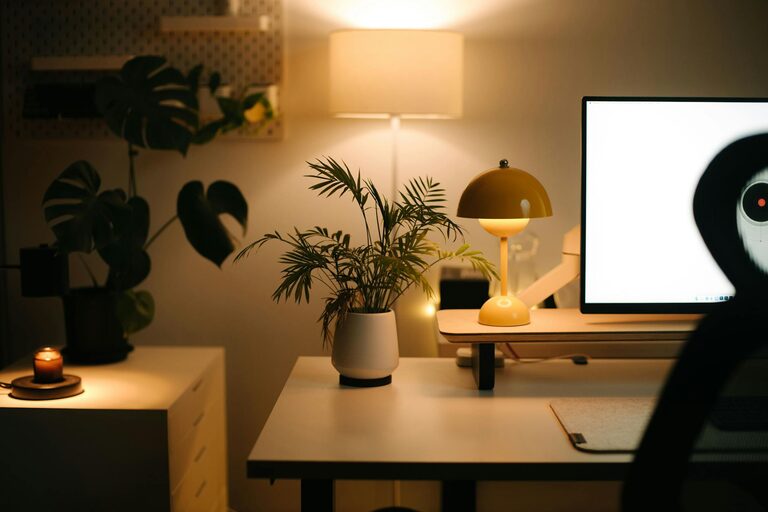
Creating a home office that feels comfortable and inspires productivity is essential for anyone working remotely or managing tasks from home. A well-designed workspace can improve focus, reduce stress, and make working from home a more enjoyable experience. Whether you have a dedicated room or a small corner, these tips will help you set up a cozy and effective home office.
Choose the Right Location
Find a Quiet Spot
Select a place in your home where you can work without constant distractions. Ideally, this should be away from high-traffic areas like the kitchen or living room. A quiet corner of a bedroom, a spare room, or a converted closet can all work well.
Maximize Natural Light
Natural light can boost your mood and energy. Position your desk near a window if possible. If natural light is limited, invest in good quality lighting that mimics daylight to reduce eye strain.
Invest in Comfortable Furniture
Ergonomic Chair
An ergonomic chair is a must-have. It supports your back and promotes good posture, helping to prevent discomfort during long work hours. Look for adjustable height and lumbar support.
Desk Size and Style
Choose a desk that fits your space and work needs. It should be large enough for your computer, notebooks, and other essentials but not so big that it overwhelms the room.
Organize Your Workspace
Declutter Regularly
Keep your desk tidy and only have items you frequently use within reach. A clutter-free space helps clear your mind and prevents distractions.
Use Storage Solutions
Consider shelves, filing cabinets, or desk organizers to keep paperwork and supplies neat. Vertical storage can be especially helpful if space is limited.
Personalize for Comfort and Inspiration
Add Plants
Indoor plants can improve air quality and add a touch of nature to your office. Choose low-maintenance varieties like succulents or snake plants.
Incorporate Colors and Decor
Choose calming colors for walls and accessories, such as soft blues or greens, which can foster focus and relaxation. Use artwork or personal photos to make the space inspiring.
Maintain Good Lighting
Layer Your Lighting
Combine overhead lights with task lamps. A desk lamp can provide focused light for reading or detailed work, reducing eye fatigue.
Avoid Glare
Position monitors and lighting to avoid glare on screens. Using adjustable blinds or curtains can help control natural light throughout the day.
Set Up Technology Efficiently
Reliable Internet Connection
Ensure your workspace has a strong and stable Internet connection to avoid interruptions during work or virtual meetings.
Manage Cables
Use cable organizers or clips to keep cords tidy and out of the way. This not only looks better but also reduces the risk of tripping or unplugging devices accidentally.
Create Routine and Boundaries
Define Work Hours
Establish clear work hours and stick to them. This helps maintain work-life balance and signals to others when you are working.
Separate Work and Relaxation Zones
If possible, keep your workspace separate from leisure areas. This mental separation can help you focus during work time and relax when the workday ends.
Take Breaks and Move Around
Incorporate Movement
Regular breaks to stretch or walk can reduce physical strain and improve concentration. Consider setting a timer to remind yourself to move every hour.
Relaxation Corner
If space allows, have a small area with a comfortable chair or cushions where you can take short breaks and recharge.
—
Setting up a cozy and productive home office space is about balancing comfort and functionality. By choosing the right location, investing in ergonomic furniture, organizing thoughtfully, and personalizing your area, you can create a workspace that supports your best work every day. Remember to maintain good lighting, manage your technology, and set clear boundaries to stay focused and healthy while working from home.